File emails and work your cases without leaving Outlook
Every email lands in the right case once, dated when it was sent or received, so your team works from a complete case file. Included with Neos at no extra cost.
Already on Neos? Install from the Microsoft Store.

Bring your Neos cases into Outlook, where the work starts
File one email to every case it belongs to
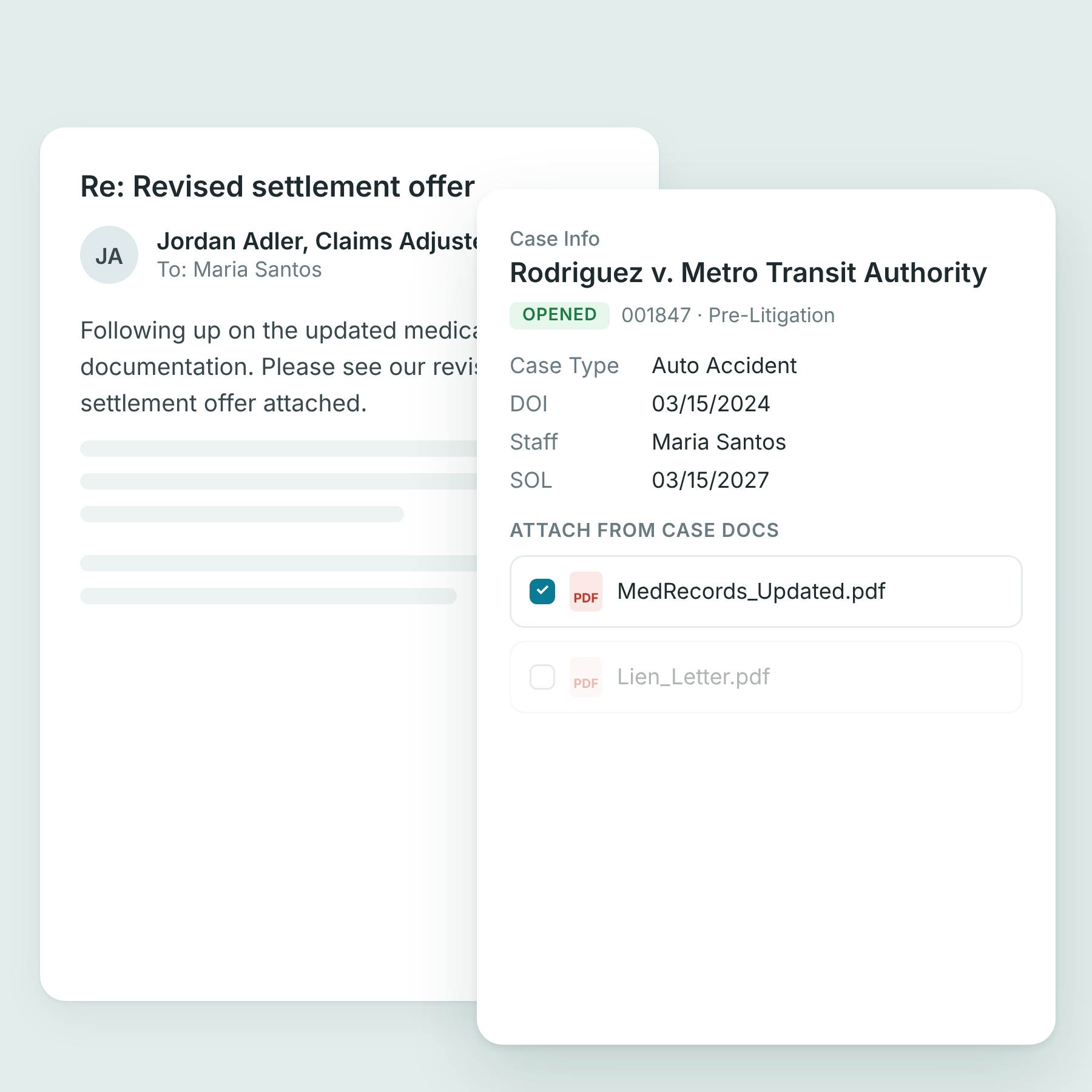
File an email and its attachments to a case and its companion cases in one step, with attachments renamed as you go. Case suggestions come from the sender and the thread.

No duplicate emails, no wrong dates
See when an email is already in the case, even if a teammate filed it, so nobody saves a second copy. Every email keeps the date it was sent or received, not the day it was filed.

Work the case from the email
See the case summary, status, documents, providers and appointments next to the email. Open a contact to see related cases and intakes, and attach Neos documents to emails you send.
Included in Neos, with no upgrade needed
Install Neos in Outlook from the Microsoft Store and sign in with your Neos or Microsoft login. Works in Outlook Classic, New Outlook and Outlook on the web.

See how Neos works for your seat at the firm

ForParalegals

ForAttorneys

Frequently Asked Questions
What is an Outlook add-in for legal case management?
An Outlook add-in for legal case management lets a firm file emails and attachments into its case management software from inside Microsoft Outlook, instead of saving them and uploading them separately. Neos in Outlook is the Outlook add-in for Neos, the case management software Assembly Software builds for personal injury firms. It files email to a case and its companion cases, shows when an email is already filed, renames attachments as they're filed, keeps each email's sent or received date, and shows the case's status, documents, providers and appointments next to the email.
Does Neos work with Microsoft Outlook?
Yes. Neos in Outlook files email and attachments from Outlook into Neos cases, and Neos syncs its calendar with Outlook in both directions, including checklist tasks your firm chooses to sync.
Which versions of Outlook does Neos in Outlook work with?
Outlook Classic, New Outlook and Outlook on the web. Mobile support is coming shortly.
Is Neos in Outlook included with Neos?
Yes. Every Neos firm gets Neos in Outlook at no extra cost, and it doesn't require NeosAI.
How do I install Neos in Outlook?
Install Neos in Outlook from the Microsoft Store, then sign in with your Neos credentials or Microsoft single sign-on and your firm's Company ID. Depending on your firm's Microsoft 365 settings, your IT admin may need to approve the add-in first. Once they approve it for the firm, everyone can install it without that step.
Is Neos in Outlook safe to approve in our Microsoft 365 tenant?
Neos in Outlook is listed in the Microsoft Store and signs in with Microsoft single sign-on, and your IT admin can approve it once for the whole firm. Neos is SOC 2 Type II certified and hosted on Microsoft Azure.
We don't use Neos yet. Can we use Neos in Outlook?
Neos in Outlook files email into Neos, so it comes with Neos. Firms moving to Neos get one dedicated Assembly team, with a project manager, a systems engineer and a trainer, for the data migration, setup and training. See how the move works.