We’ve got some terrific new features and enhancements in the July release. Watch the latest “New in Neos in Nineteen Minutes,” where head of customer education Bryan Billig conducts a quick-n-dirty demo of the new enhancements in under 20 minutes!
Here’s what to expect in the July Neos release:
Features
- LawPay integration
- Client Master Rates
Enhancements
- Related Documents enhancement
- Invoice enhancement
- Settlement Calculator improvement
- Mailing List new updates
New Features
LawPay Integration
Who doesn’t want to get paid faster? Our new LawPay integration allows you to securely:
- Accept payments online
- Share links to a LawPay hosted portal with clients from Neos for both invoices and trust requests
- Set up accounts in the funds tab that are linked to LawPay accounts
- See the payment status (which is updated automatically)
How to use it
Once an invoice or trust request is approved from the invoices section, you can share an invoice with a link to the LawPay payment portal. LawPay sends an email from a preconfigured template with the link to their portal. Clients access the payment portal and pay the invoices or trust request. Value items, invoices, and trust requests are all updated to a status of paid.
Learn more about LawPay (LawPay account needed to use the Neos integration). Sign up with LawPay before October 1 and they'll waive your $20/month fee! Talk to your Assembly account manager for more details.
Client Master Rates
Set a billing rate that will override any tasks or staff specific rate for billable time using the new tab (Billing Rates) under the Contact (previously Provider) screen.
How to use it
Set specific hourly billing rates for any contact in your address book; automatically override the billing rate for all new cases associated with the client. If you have high volume of cases per client, negotiate a rate and set it for all billable hours.
Enhancements
Related Documents
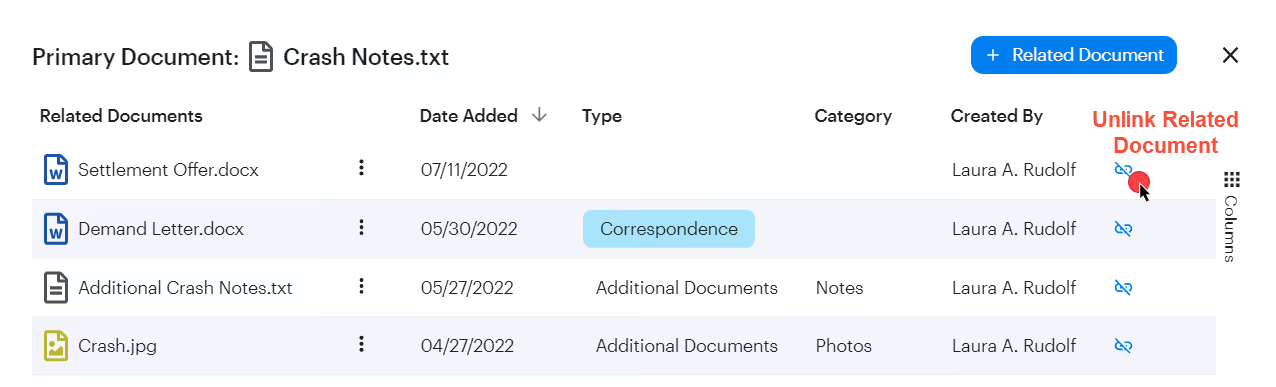
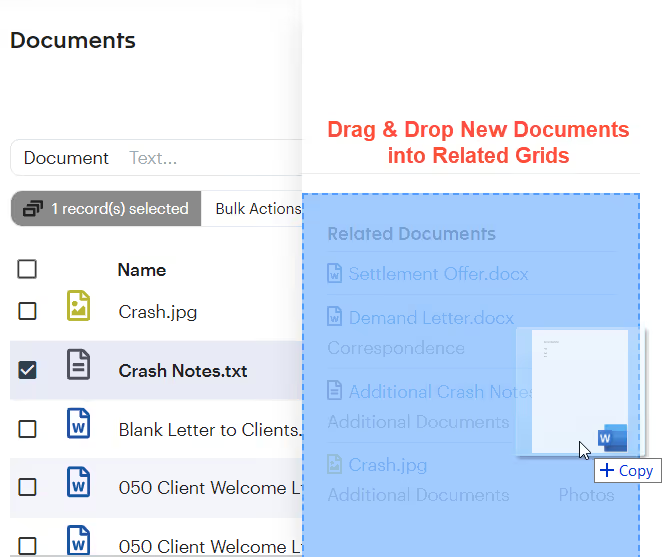
Unlink related documents using the Related documents modal and drag and drop documents into related grids.
Invoices
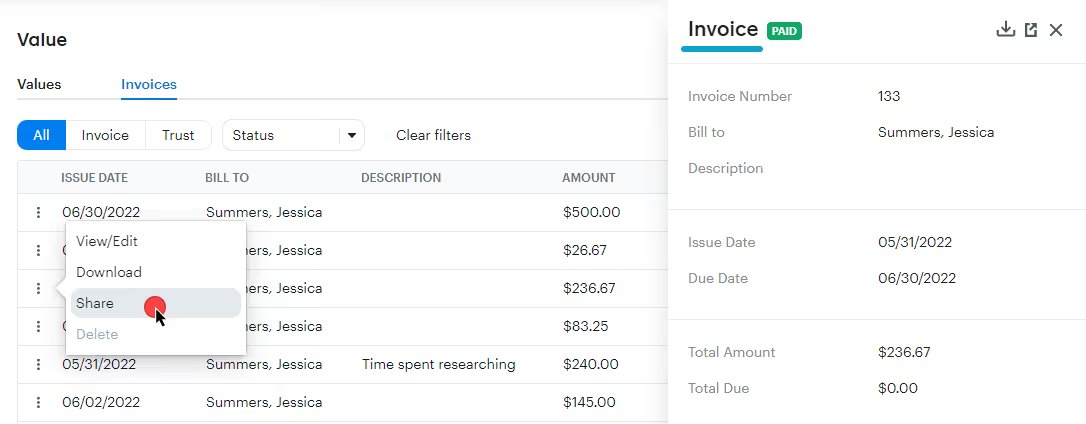
Now you can send a copy of an invoice by email, void invoices, and preview the invoice using a new sidepane in the Accounting tab.
Settlement Calculator
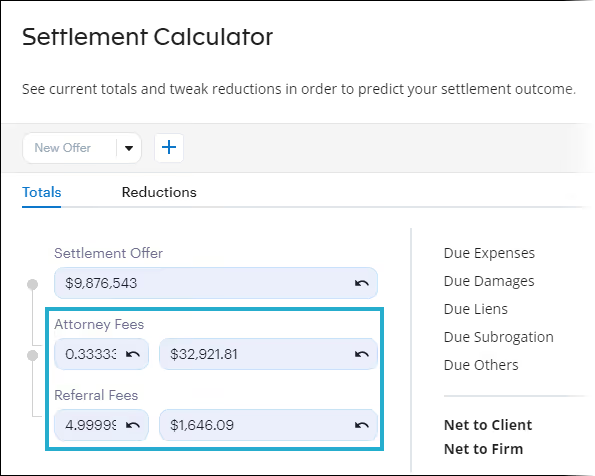
Capture accurate revenue amounts for larger settlements with a precise settlement calculation when using attorney fee or referral fee percentages. (Users can now add up to 10 decimal places.)
For example: 33.33% of $9,876,543 is $3,291,851.78. However, with a repeating decimal (in this case, 1/3), the value is actually $3,292,181.00. This creates a difference of $329.22.
Learn more about the Settlement Calculator
Mailing Lists
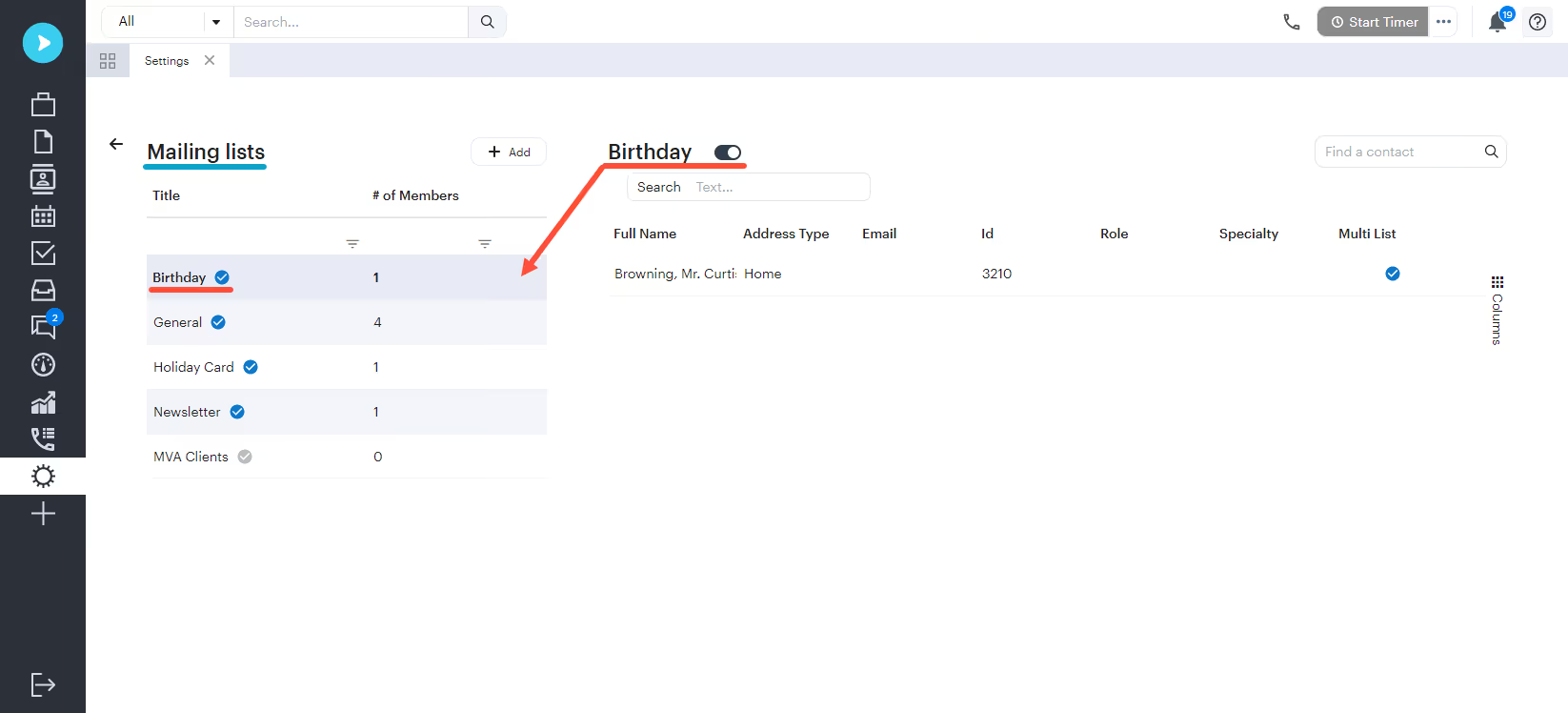
Set a mailing list to “inactive”; add all parties or providers to a mailing list.
Questions?
Contact your customer success manager if you have any questions about this release, or sign up for one of our monthly Neos demos for a full product refresh!
For detailed instructions on using these enhancements, click the Help icon (question mark) in Neos to access the Self-Serve Portal and Knowledge Base.