Stop re-typing the case you just signed
Legal intake that runs inside your case management system. Capture every answer once, then open the case with it. No second system, no re-entry.
Video testimonial

As we've gotten bigger, it's nice to use one product instead of going to multiple places.
Partner, Olsman MacKenzie Peacock
Legal intake, from first call to open case
Capture every lead from every channel
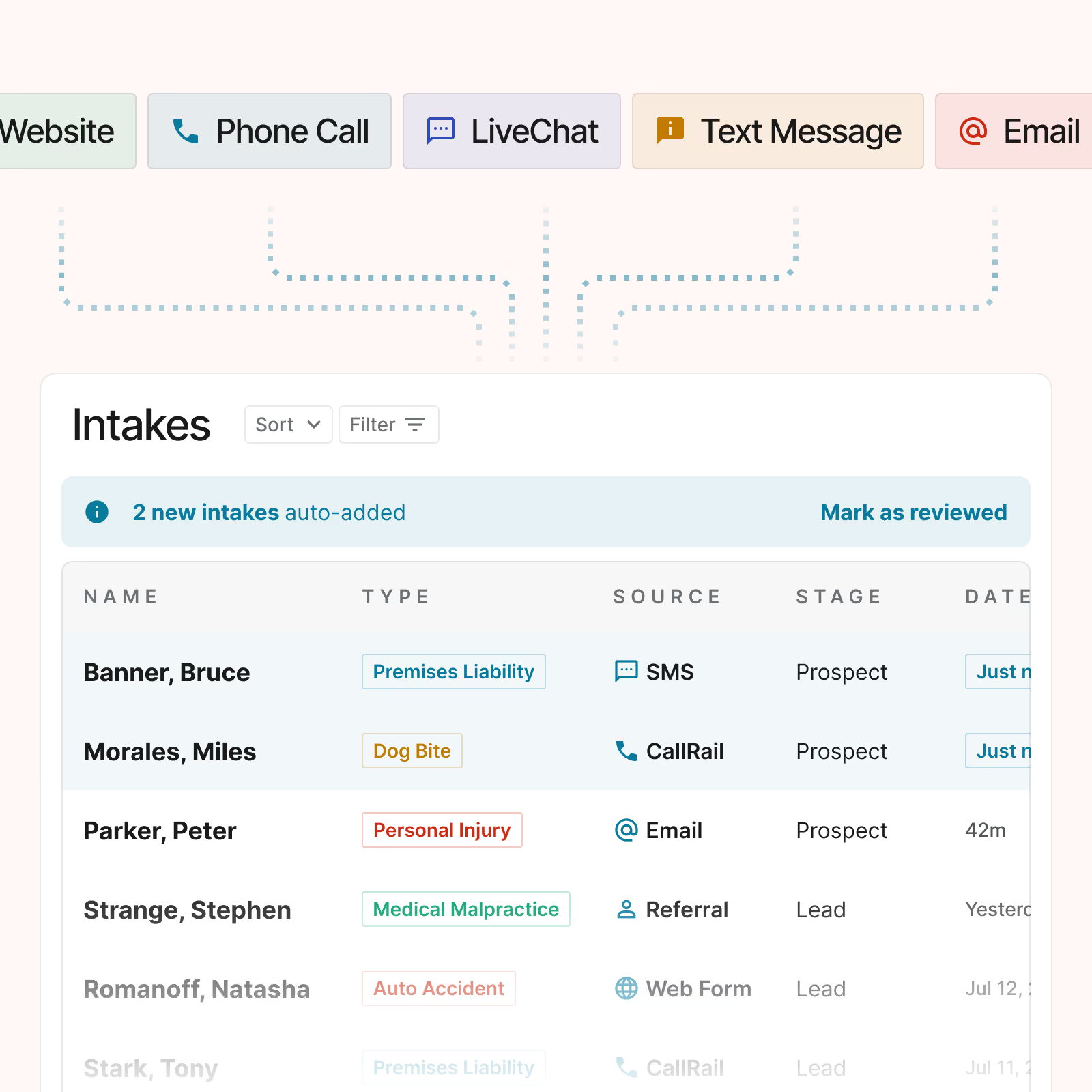
Every web form, call, text, and referral becomes an intake record in Neos. Your answering service and live chat feed that same record, so no lead sits in an inbox waiting for someone to type it in.
Ask the right questions for the case type
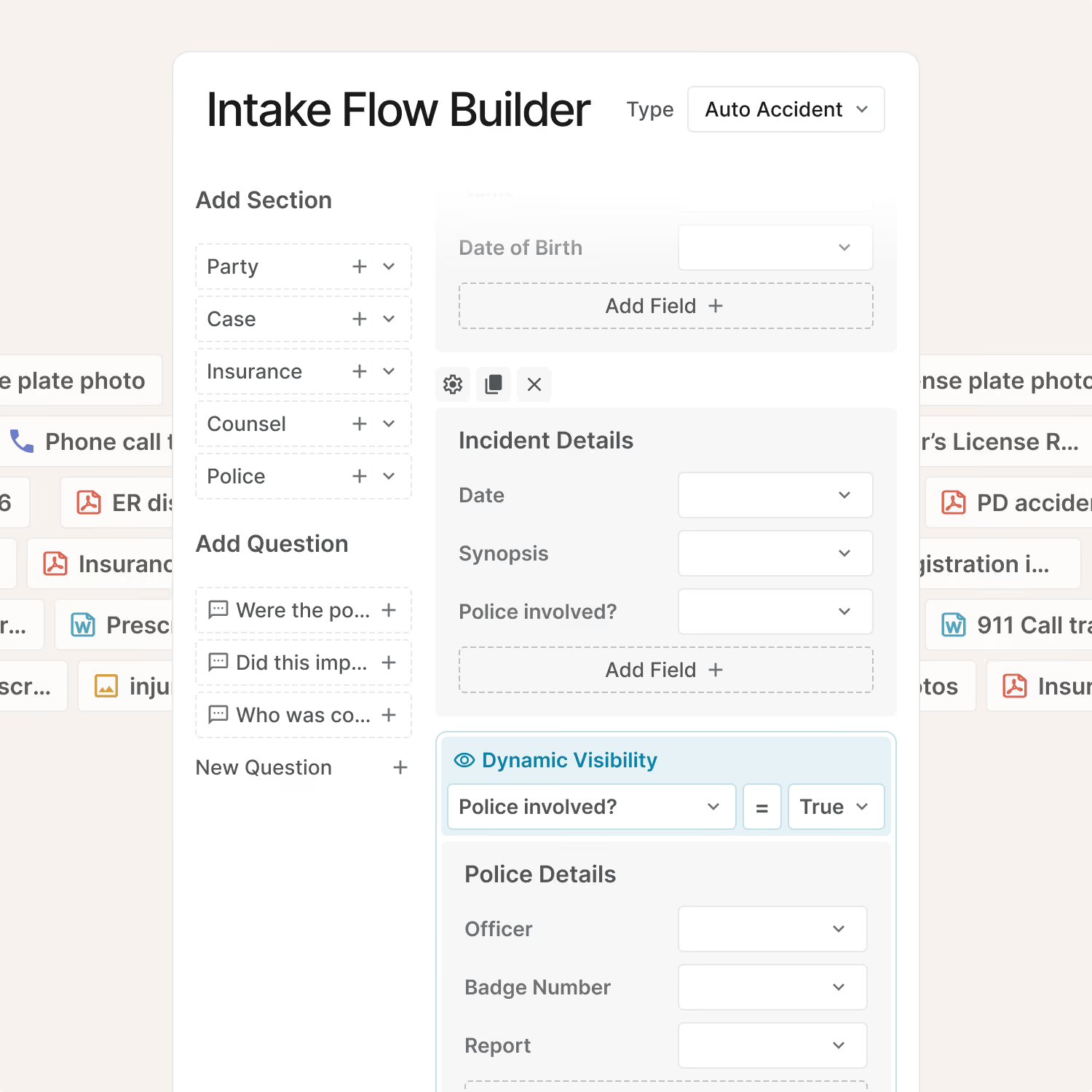
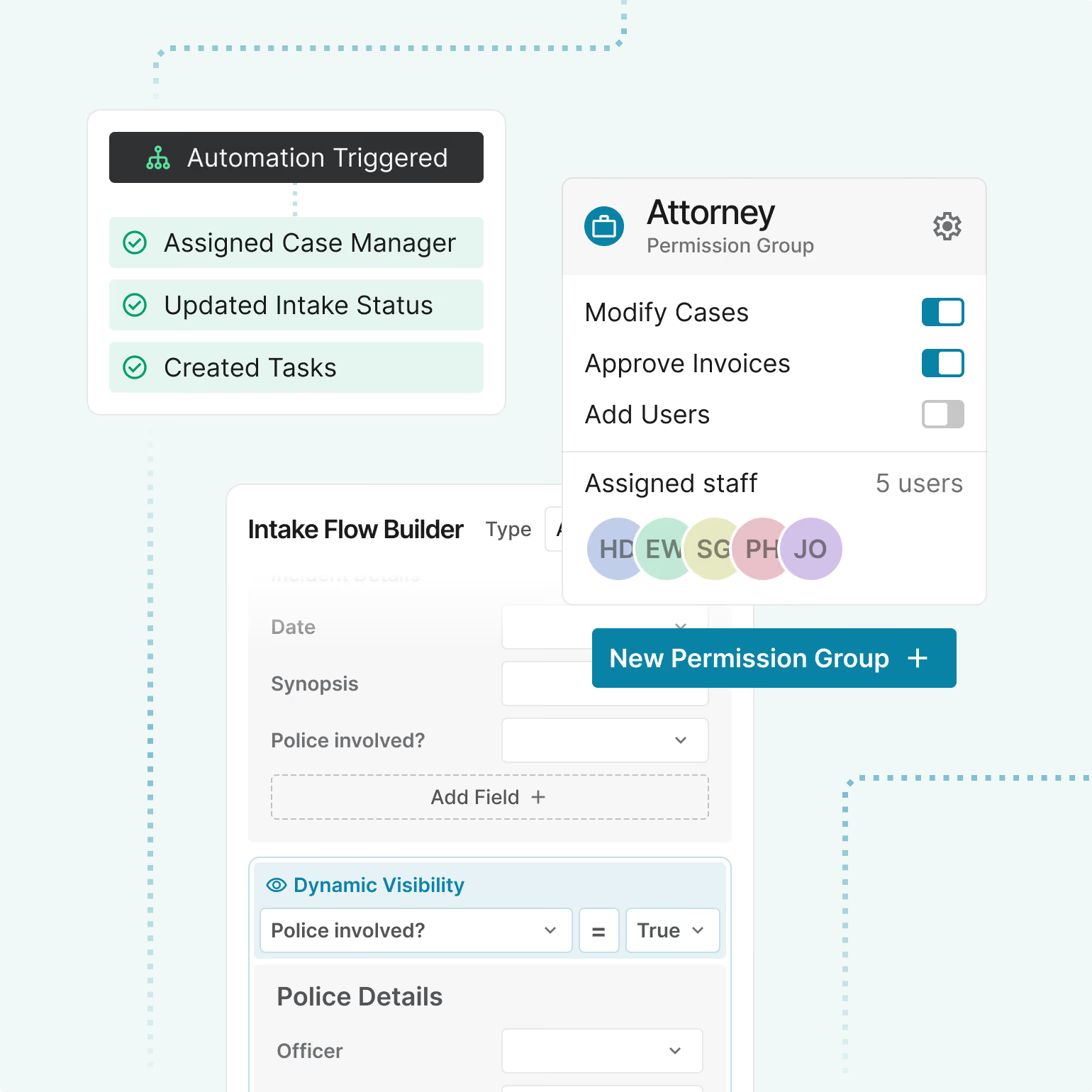
Questionnaires change by case type, so an auto accident asks about policy limits while a premises claim asks about notice. Answers land as fields you can search and report on, not free text in notes.
Get to signed without the paperwork lag
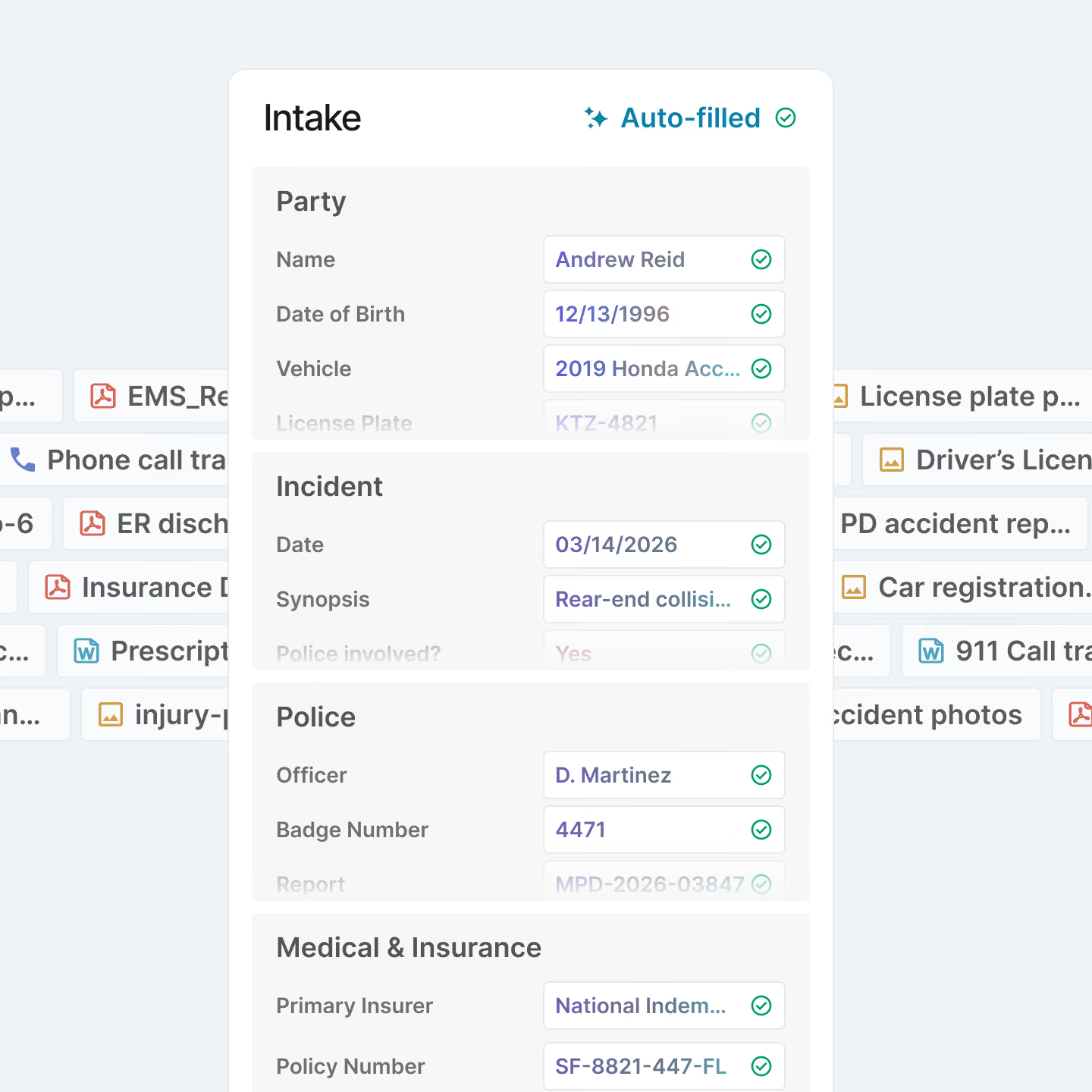
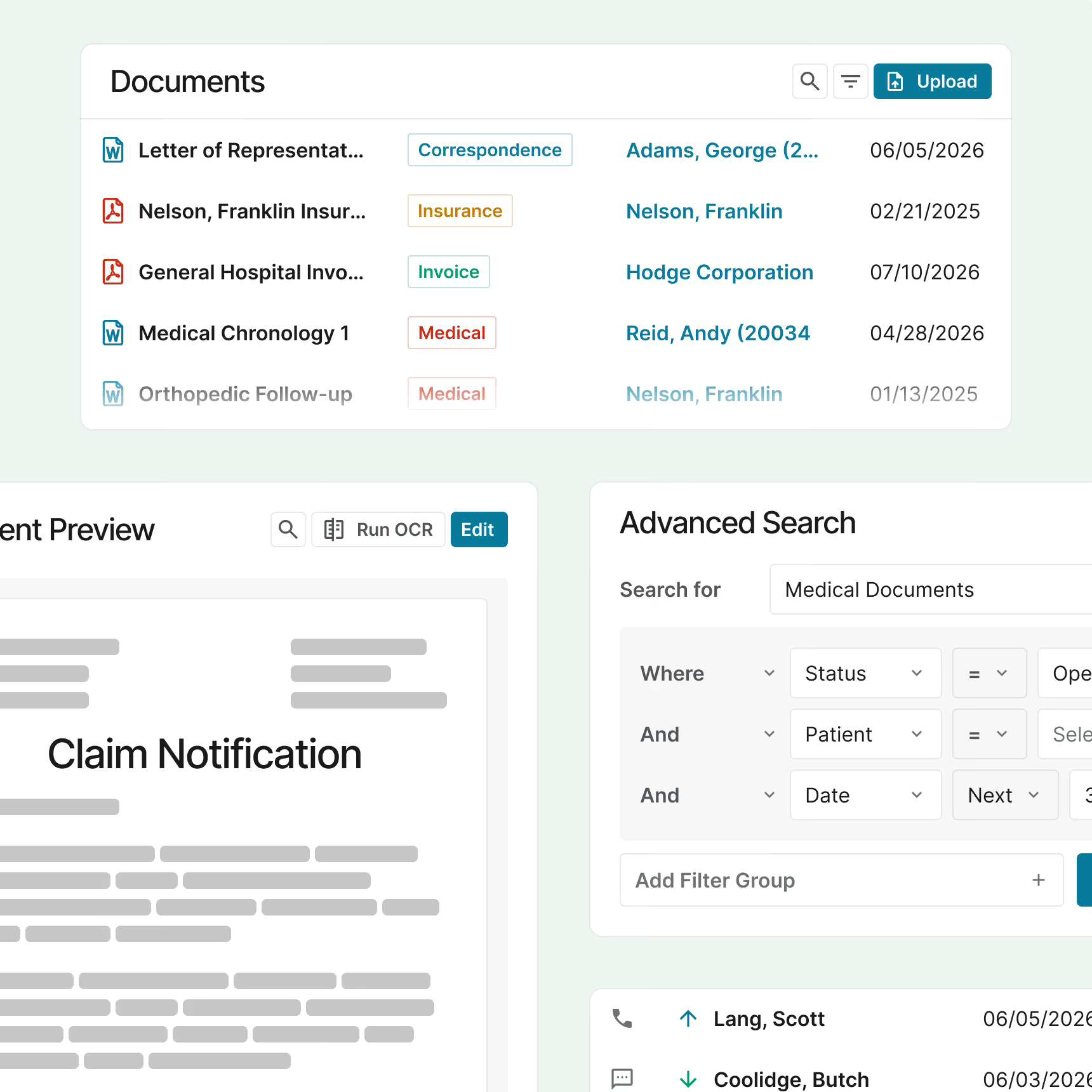
Automations move intake forward the moment its status changes. Photo IDs and insurance cards upload into the intake record and, on Platinum, NeosAI reads them into party and coverage fields.
Turn a signed intake into an open case
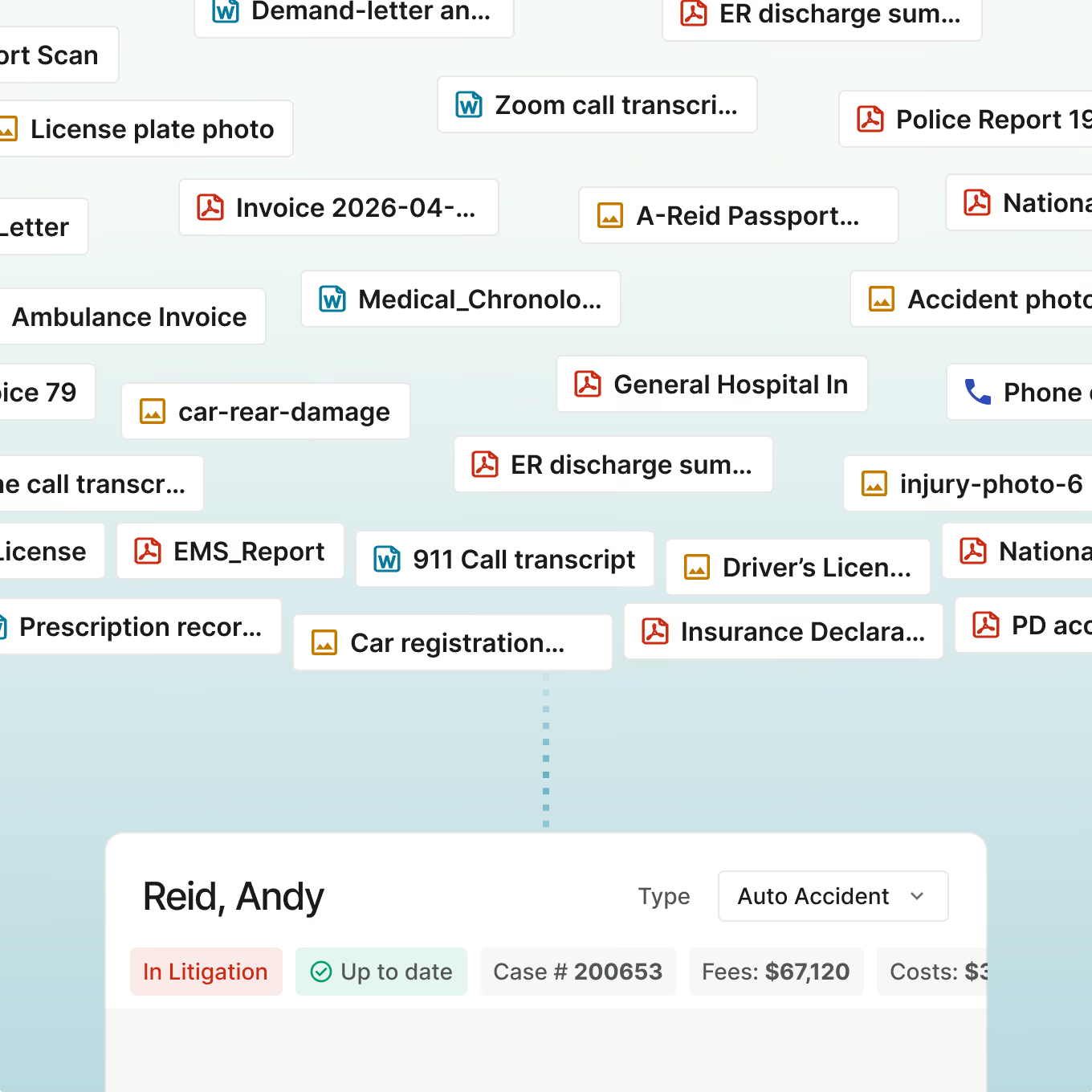
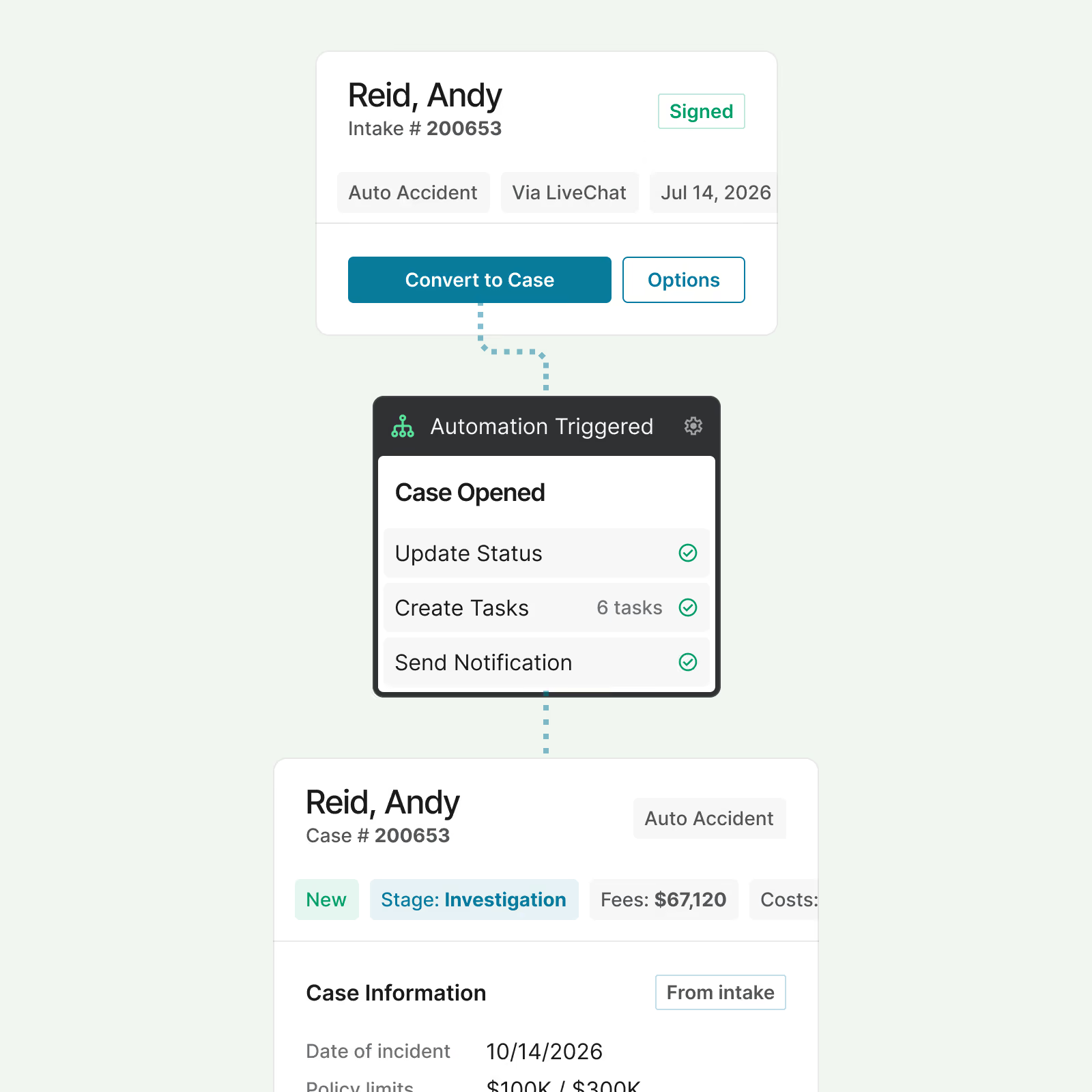
Convert an intake and every answer moves to the case. Questionnaire answers stay on as their own tab, and a Case Opened automation kicks off your opening checklist.
Connects to the tools you already run on









Explore other features
Neos in Outlook
Every email lands in the right case once, dated when it was sent or received, so your team works from a complete case file. Included with Neos at no extra cost.
Already on Neos? Install from the Microsoft Store.

Frequently Asked Questions
What does legal intake software do?
Legal intake software captures a potential client's information, screens the matter, and turns a signed lead into an open case file. Many options are a separate intake layer bolted onto a CRM or a case management system, so the data crosses a boundary and gets retyped. Neos runs intake inside the case management system itself, so answers collected before signing become searchable case fields afterward.
What should a personal injury firm look for in legal intake software?
Four things. Questionnaires that change by case type, so an auto accident asks about vehicles and policy limits while a premises claim asks about notice. Statute calculators, lien tracking, and referral source fields that work out of the box, not fields you have to build. Capture from every channel your leads use. And conversion to a case with no re-entry. Neos was built for personal injury, not configured for it.
Can legal intake software capture leads from web forms, phone calls, and text messages?
Yes, and channel coverage is where options differ most. Neos captures web forms, inbound calls, texts, and referrals into one intake record, and connects to answering and chat services including Smith.ai, Alert Communications, SiteStaff, and Kenect. Leads handled by an outside team land in the same place your staff works, not a separate inbox.
How does an intake become a case without re-entering the data?
Converting an intake in Neos carries every field with it. Party details, insurance, treatment status, and statute dates move to the case record, and the intake answers stay on the case as their own tab.
What happens to the leads and cases in our current system?
They move with you. Assembly runs migrations in house with a team assigned to your firm: a project manager, a systems engineer, and a trainer who stay through go-live. Your existing intakes, cases, documents, and history are migrated and validated with you first, so your intake staff start on real records, not empty forms.